spurt B2B
Central System for Buyer Management
  • check-black One centralized buyer database
  • check-black Buyer groups & pricing rules
  • check-black Full order and payment history
Dynamic Pricing & RFQ Automation
  • check-black Tier pricing, MOQ, volume discounts
  • check-black Special pricing per customer group
  • check-black RFQ → negotiation → approved quote
Self-Service Ordering for Faster Processing
  • check-black Bulk order support (CSV upload, quick buy)
  • check-black One-click repeat orders
  • check-black Instant, error-free order confirmations
Real-Time Inventory & Multi-Warehouse Sync
  • check-black Stock updates across all locations
  • check-black Warehouse-wise availability display
  • check-black Auto low-stock alerts for admin & buyers
Automated Invoicing & Digital Payments
  • check-black GST-compliant invoice generation
  • check-black Payment links & online collection
  • check-black Support for credit terms (Net-30 / Net-45)
Integrated Logistics & Delivery Tracking
  • check-black Transporter selection & rate calculation
  • check-black Automated dispatch notes & labels
  • check-black Real-time shipment tracking
Unified Product & Catalog Management
  • check-black Central product database for all sellers
  • check-black Bulk import/export of product data
  • check-black Attribute, variant & category management
Full Order Lifecycle Transparency
  • check-black Order → Packing → Dispatch → Delivery status
  • check-black Notifications by SMS / Email / WhatsApp
  • check-black Buyer & admin dashboards for tracking
ERP / CRM Integration Layer
  • check-black Plug-and-play API connectivity
  • check-black Sync orders, payments, inventory, invoices
  • check-black Works with Tally, SAP, Zoho, Odoo, etc.
Scalable Cloud Architecture for Growth
  • check-black High performance with Redis & Elasticsearch
  • check-black Supports multi-vendor ecosystem
  • check-black Scales to 10,000+ buyers & heavy traffic
manufacturing-distribution

Manufacturing & Distribution

Digitize your network. Automate RFQs & bulk orders

wholesale-trading

Wholesale & Trading

Sell in bulk with flexible pricing & credit terms

food-fmcg

Food & FMCG

Manage perishables, expiry & distributor orders

exporters-importers

Exporters & Importers

Manage quotes, logistics & documents in one place

chemicals-pharmaceuticals

Chemicals & Pharmaceuticals

Batch tracking, approvals & verified buyer access

furniture-homedecor

Furniture & Home Decor

Custom products, real-time stock & dealer orders

industrial-supplies

Industrial Supplies & MRO

Enable fast reorders & automated workflows

construction-building

Construction & Building Materials

Regional pricing, project RFQs & contractors

agriculture-fpos

Agriculture & FPOs

Digital agri-trade with bulk buying & traceability

packaging-printing

Packaging & Printing

Custom configurations & streamlined quotes

custom-enterprise

Custom Enterprise Solutions

Self-hosted, API-ready, customizable B2B platform

Pricing

Order Checkout Flow

PLAY VIDEO play-video-icon

Order Checkout Flow

When onboarding new sellers is efficient, safe, and organized, a marketplace flourishes. Spurtcommerce makes this easier with a simplified Seller Registration flow that guarantees that only verified vendors log in, all the while maintaining an easy-to-use and effective approach. Sellers are directed through the site with ease, starting with the initial signup and continuing through the onboarding procedures.

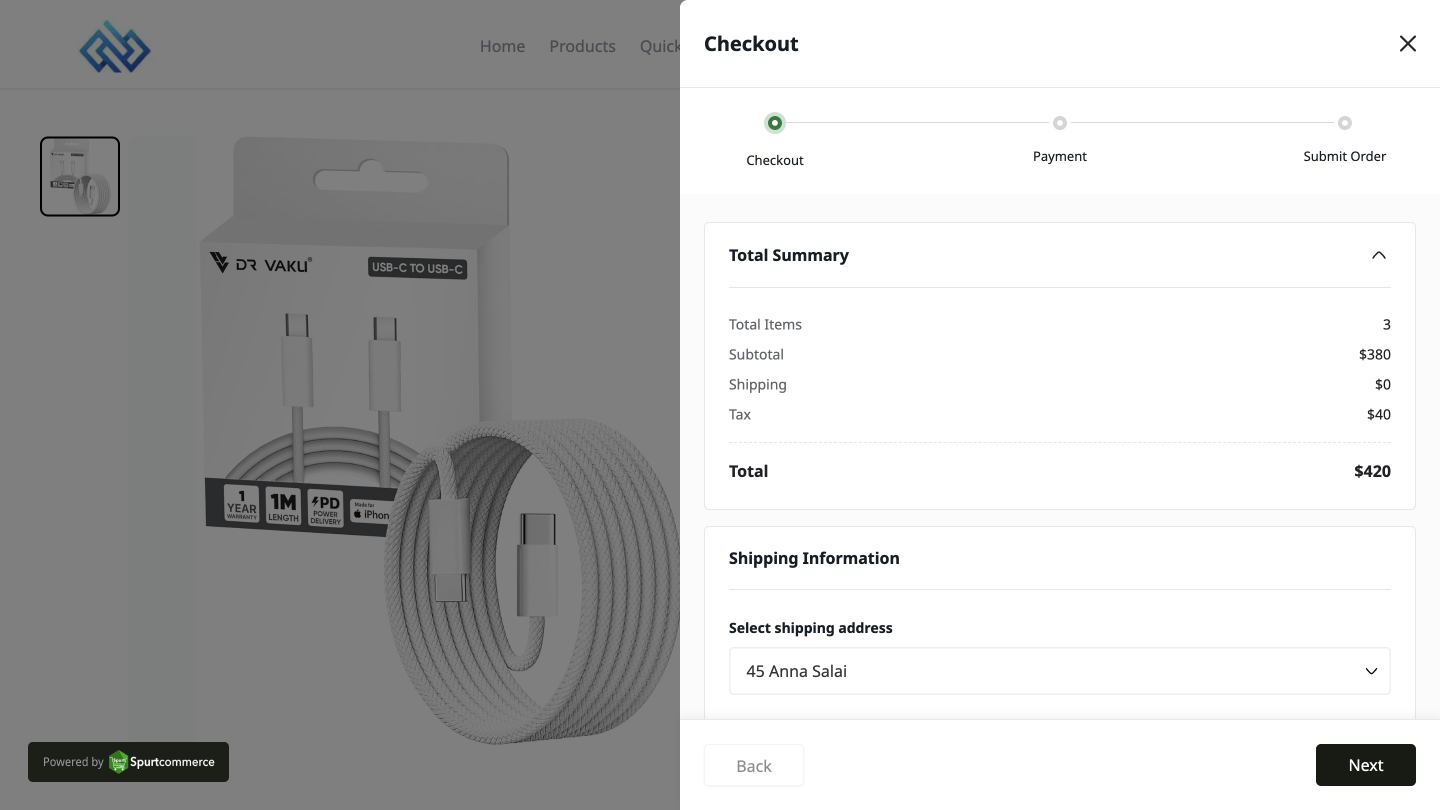
1. See and Manage All Orders at One Place

A comprehensive list of every order placed by customers is provided to sellers. In order to assist sellers stay organized and never miss a sale, each order displays information such as the product name, quantity, customer details, payment method, and order date.
Order Checkout Flow screenshot 1

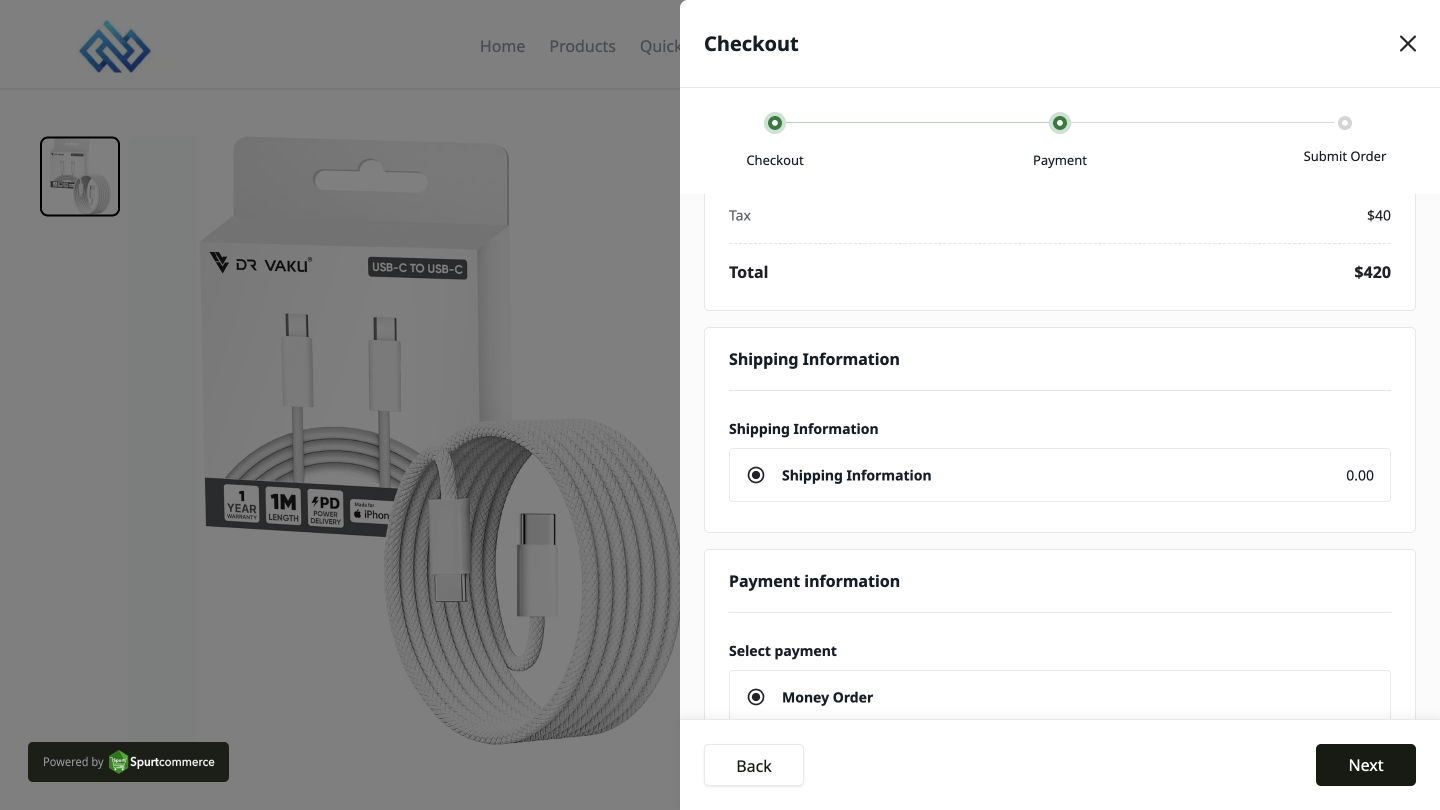
2. Update Order Status and Share Tracking

Each order's status can be readily changed by sellers to Pending, Processing, In Transit, Delivered, or Cancelled. For real-time order updates, a unique tracking URL can also be created and distributed to clients.
Order Checkout Flow screenshot 2

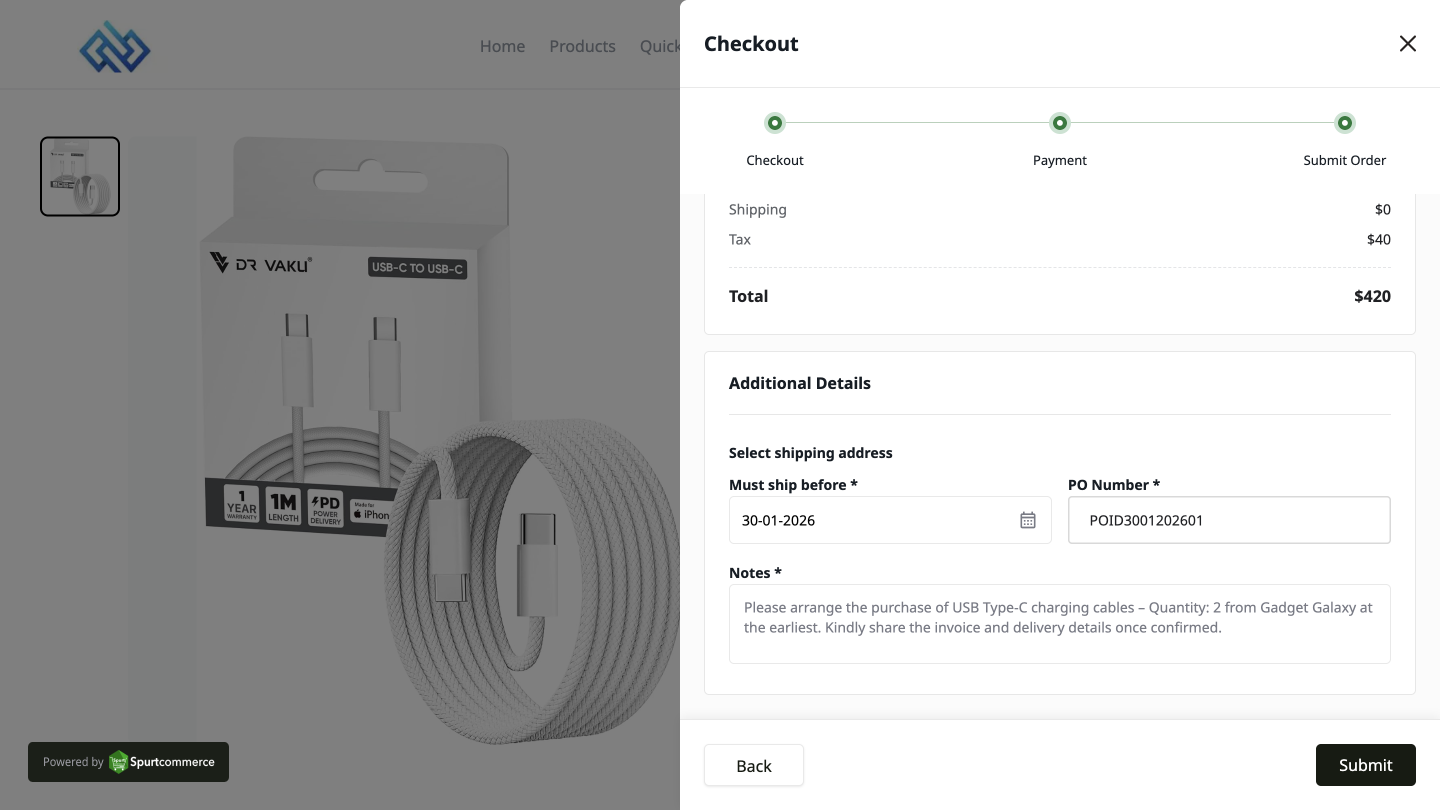
3. Handle Back Orders and Failed Orders Smartly

A product goes to the Back Orders tab if it is ordered while temporarily out of stock. Orders that fail because of technical difficulties or payment mistakes are noted individually so that sellers can effectively monitor and address them.
Order Checkout Flow screenshot 3